Showing posts with label TECH GUIDE. Show all posts

Thursday, 13 May 2021

Boult launches Audio AirBass FX1 : Best cheap wireless earbud

Boult launches Audio AirBass FX1 : Best cheap wireless earbud


True Wireless Stereo (TWS) earbuds have become very popular these days, and electronics companies are constantly launching these types of gadgets to see the benefits. Boult, a local audio equipment brand, has recently added a new earbud called AirBass FX1 to its list of new TWS earphones. Launched with a stylish look, this earphone has multiple sophisticated features like USB Type-C charging port, long battery life, touch control panel and IPX5 water resistant rating. And the price is within the budget range of the middle class. So let's get detailed information about the features or availability of Boult AirBass FX1.

Boult Audio AirBass FX1 Earphone Price and Availability:

The Boult earphone, which has just been launched in the domestic market, is priced at just Rs 1,499. The brand claims that no other Indian company will offer such affordable wireless earphones. Buyers can buy this AirBass FX1 model, which comes in three options of black, blue and white, from the e-commerce site Amazon.

Incidentally, the AirBass Z1 True Wireless Stereo earbud, launched last month, can also be purchased from Amazon, priced at just Rs 1,599.

Boult Audio AirBass FX1 Earphone Specification:

The Boult Audio AirBass FX1 earphone is affordable as well as quite advanced in terms of features. The earbud is designed with a comfortable silicone tip, which will fit your ears well and help control the surrounding noise. These buds can also be used individually in mono mode. The earphones have a special touch control panel that allows users to receive voice calls, change music tracks and volume levels, and activate the voice assistant. In this case, users will not be able to activate this voice assistant program if the earphone is not connected to a smartphone.

In addition, it has Bluetooth 5.0 support for connectivity. In terms of battery life, the AirBass FX1 earbuds will offer up to 8 hours of playback on a single charge. However, with a charging case, it can enjoy up to 24 hours of playback time. In this case, the earphone case has a USB Type-C port interface for fast charging. Not only this, with the help of IPX5 rating it is possible to get rid of water, sweat and dust.

Friday, 7 May 2021

BSNL launches BAVA Virtual Assistant : New connection to bill payment from your home at one point

BSNL launches BAVA Virtual Assistant : New connection to bill payment from your home at one point


Bharat Sanchar Nigam Limited ( BSNL) , recently launched an online automated virtual assistant called ‘BAVA’ to help its users solve all their service related problems. This virtual assistant programmatic has already been launched on the company's official website, which users can access from the web version and mobile version. As a result of this digital initiative taken by BSNL during the Corona disaster, users will be able to complete all the tasks from bill payment to submitting applications for new connections at home in no time.

 From the main menu section of the 'BSNL Automated Virtual Assistant' or 'Bava' program for short, users will get a total of 4 service related options. These are - New Connection, Happy to Help, Choose Your Plan, and Pay Your Bill. Please note that users can access the relevant options included in the Virtual Assistant program, either by voice command or by typing a physical command from the 'Microphone' icon at the bottom of the chat window. Although, according to the report, the voice command option is not currently working, we will ask users to choose the physical command option to get faster service.


Now let's come to the functionality of this program, if you do a physical command by typing 'bill' in BSNL's Virtual Assistant, Bava, the Virtual Assistant will immediately ask you to enter your phone number in the specified format displayed on the screen. Then by following the steps shown on the screen you can pay all your bills in the blink of an eye. Again, if you want to get a new mobile connection under the company, just type the command ‘new phone number’, Bava will provide you some links related to that. In addition, users can complete the registration process for the new FTTH or Fiber Internet connection with the help of Virtual Assistant Bava.

By the way, we must ask BSNL to consider the UI design of the virtual assistant's chat window. Because, the very pale gray background in the chat window is not attractive at all. Also, the color of the text on the screen is so light that it can be difficult for many users to read. In that case, it would not be wrong to say that the virtual assistant needs some upgrades in order to look really smart.

In conclusion, the Bava Virtual Assistant program has a few design and technical shortcomings due to its recent launch. However, the program is quite responsive overall in terms of effectiveness. In that case, we hope that over time, BSNL will further enhance the functionality of its virtual assistant ‘BAVA’, so that customers can better use the company’s services.

Thursday, 29 April 2021

How to register for corona vaccination above 18 years of age on Co-WIN

How to register for corona vaccination above 18 years of age on Co-WIN


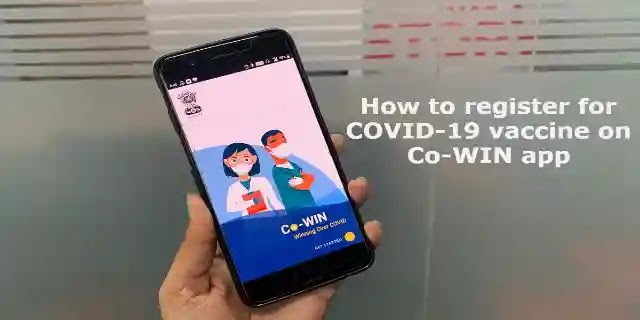
The third phase of vaccination has started in India in the fight against Kovid. As a result, people aged 45 and over, as well as relatively young people, will be able to get the vaccine from now on. Those between the ages of 18-44 must register with the government's Co-Win portal to receive the vaccine. It is also possible to register using Aarogya Setu and Umang applications. The registration process has started at 4 pm on Wednesday, April 28. For registration, every citizen must have a valid Indian identity card. After registering the name, the process of vaccination of citizens will start on May 1.People aged 18-44 cannot get vaccinated in any way without registering on the Co-Win portal. So learn the process of registering for vaccination immediately without delay.

The following procedure is required for 18-44 year old's to register for corona vaccination on the government's Co-Win portal -

1. First go to the Co-Win website and Register / Sign In.

2. Then enter your valid mobile number and click on ‘Get OTP’ button. An OTP number           will be sent to your mobile number immediately.

3. To verify the OTP received on your mobile, enter it and select the ‘Verify’ option.

4. Once the OTP verification is complete, you need to register your name, gender, year of        birth. Then click on the 'Register' button.

5. Now you have to confirm the appointment for vaccination by selecting the ‘Schedule’            option next to the name of the person registering. To do this, enter your pin code and click     on the 'Search' option. This way you will be able to find the vaccination centers near your     location.

6. You can also use the name of your state and district to find the nearest vaccination center.

7. After all, choose the ‘Confirm’ option by choosing the vaccination center according to        your convenience.

By registering in the above way you can ensure vaccination of maximum of 4 family members.

On the other hand, you can follow the following procedure to register your name through the Aarogya Setu application :-

1. First open the Aarogya Setu application.

2. Then go straight to the Co-Win tab.

3. Provide your valid mobile number for vaccination registration. You will get an OTP on         the phone immediately.

4. Verify the OTP by clicking on the ‘Verify’ option.

5. It is then possible to easily register yourself and your family for vaccination by following     the steps described in the Co-Win portal.

At the moment, Indians are being given two types of vaccines. One is Covaxin manufactured by Bharat Biotech and the other is Covishield, a joint venture of Oxford Astra Zeneca, which has been commissioned by Serum Institute of India.

Sunday, 25 April 2021

Gas cylinder booking through WhatsApp!  Find out how

Gas cylinder booking through WhatsApp! Find out how


People have been booking cooking gas over the phone for more than two decades. As a result, if the phone line is busy for any reason, the common man has to face some trouble and try again and again to book this essential product. Although LPG gas can be booked from e-wallet platforms like Google Pay or Phone Pe in recent times, many are not able to take advantage of this facility. In that case, services like WhatsApp and SMS booking are also available to make the process of gas booking easier. As a result, LPG customers can easily book LPG cylinders via WhatsApp or regular SMS as well as phone calls. In fact, last year gas companies developed a number of online services for the convenience of their customers. So now customers can book a gas cylinder by contacting a gas agency or dealer by phone, visiting the gas company's website, or sending a text message to the company's WhatsApp number. Let's take a look at how customers of Indane, HP and Bharat can book LPG cylinders through WhatsApp.

 Bharat customers:-

Customers of Bharat Gas just need to text ‘BOOK’ or ‘1’ from their register WhatsApp number 1800224344. In this case, their booking request will be accepted by the gas agency. In this case, if the booking is successful, a confirmation message will come to the customer's WhatsApp number.

 HP Gas customers:-

To book LPG cylinders via WhatsApp, HP subscribers can register from a registered mobile number. You need to do WhatsApp by typing ‘BOOK’ Send on 9222201122. Then the gas will be booked. However, besides booking through this number, you can also know in detail about various other issues, such as your LPG quota, LPG ID, LPG subsidy, etc.

 Indane Gas customers:-

Indane cylinder customers of the country can usually book gas by calling 7718955555. Indian customers will also be able to book cooking gas through WhatsApp. For this, the customer has to text ‘REFILL’ to 7588888824 from the mobile number registered in WhatsApp.

Problems with Aadhaar card? Complain online like this

Problems with Aadhaar card? Complain online like this


The Unique Identification Authority of India or UIDAI announced a new Aadhaar help center a few months ago for complaints about Aadhaar services. This service allows users to lodge a complaint against any corruption or misconduct related to the Aadhaar service through call or e-mail or by visiting the official Aadhaar website. So, if you encounter any problems related to this, you can report your complaint to UIDAI by following the step-by-step procedure mentioned below.

Let's first take a look at what kind of complaints users can make here. According to the official website, the general public can lodge complaints regarding the following issues:

▪️ Operator and Enrollment Agency (Enrollment ID is not mandatory)

▪️ Aadhaar not generated (Enrollment ID is mandatory)

How to register Aadhaar related complaints on the official website

First go to https://resident.uidai.gov.in/file-complaint website> scroll down and record other important information including enrollment ID (EID), date, time, contact details> then regarding the type and category of your complaint Details will be requested, record them properly> Once these tasks are done, enter the relevant Captcha code correctly and register your complaint by clicking the submit button.

UIDAI has also introduced a toll free number for making complaints. All you have to do is dial '1947' from your smartphone and Register your complaint. You can also e-mail help@uidai.gov.in to register your complaint.

Saturday, 24 April 2021

Google Assistant will also work offline

Google Assistant will also work offline


As technology advances day by day, our lives are getting easier and easier. Google Assistant is such a stunning invention of modern technology. Like Aladdin's gene, he immediately obeys any instructions given to Google Assistant. But so far an important condition for this was that the user must be online. But soon that condition is also going up. According to a recent report from XDA Developer, Google's Virtual Voice Assistant will soon be able to fully perform a voice command offline as well.

According to the string code developed by XDA developers, Google Assistant will be able to complete a voice command even when users are offline. In addition, the company plans to add a new feature called 'My Actions' to Google Assistant. This new feature allows users to create shortcuts to their favorite assistant requests.

The XDA developer added, "Looking at the 'My Actions' setup screen, it looks like it's adding a custom action. The setup screen clearly states that the feature can be configured to do "everything Google Assistant can do, with just one tap" ("can be configured to do anything Google Assistant can do, in just one tap"). There are a number of sample commands that you can use to test the feature yourself. There is a ‘Setup’ button on the screen to start this work. ”

In other news, on the occasion of World Heritage Day, UNESCO, Google Arts and Culture has recently created a new online resource called 'Explore UNESCO World Heritage'.

Users can take a virtual tour of a microsite created by Google for 10 UNESCO heritage sites. These sites include the Taj Mahal, Yosemite National Park, Serengeti National Park, The Colosseum, and more.

Good news for Zoom users, a bunch of new features are being added

Good news for Zoom users, a bunch of new features are being added


Due to the lockdown across the country last year, since the launch of 'Work from Home', the houses of every working person have become one of their office rooms. Where a year ago we were not familiar with multiple video conferencing apps like Zoom, Team link, Google Meet, now they have become our uninterrupted partners in the workplace. All these apps are also constantly adding new features to make their platform more attractive. In that case, the Zoom app did not lag behind!  Zoom has brought a bunch of new features in their latest update, as well as some programs to fix bug related issues and improve the app.

The video conferencing platform Zoom said in a blog post they made three days ago that this update includes - Vanishing Pen Annotation tool, Emoji reactions, Whiteboard Auto-shapes, more powerful zoom than ever before. Zoom chat, Call history, Voice mail and recording recovery facilities and zoom room hardware related solutions. So let's take a look at these new features of Zoom

Whiteboard auto-shape:-

The ‘Whiteboard Auto-Shape’ feature has been introduced for the convenience of the users in manually or by hand drawing a diagram using the ‘Zoom Mobile App’. This feature will automatically modify the annotations on the table to give the drawn lines or shapes the perfect shape. "This tool will help you create a variety of whiteboard shapes during training meetings or sales webinars." Claim of the company.

Vanishing Pen Annotation Tool:- 

The video conferencing app Zoom recently introduced the 'Vanishing Pen Annotation Tool' feature for their video calling. Although this is not a new tool! Previously, users could use this tool to highlight any text or object displayed on their device screen. However, this update feature has been updated. Users no longer have to manually undo or delete the annotations or highlighted parts on the screen, they will disappear automatically after a certain period of time. As a result, users will be able to pay more attention to their video calls. Users can use this feature from both Windows, MacOS and Linux for zoom meetings and zoom video webinars.

Emoji reaction:-

Then comes our favorite ‘Emoji Reaction’ feature, which can be found in the Emoji Library in Zoom. In this update, zoom users will get the option of multiple emojis, they will not even be able to change the color of the emojis. In that case, to access this feature in group video calling, the group admin needs to enable or enable the emoji feature. Otherwise, the old set with 6 emojis should be limited.

It is learned that the video conferencing platform Zoom can now be used from the portal TV of social media giant Facebook. For those who don't know what this portal TV is, let me tell you, this is a device that allows you to make video calls from a big screen like a TV.

Friday, 23 April 2021

How to delete data from lost or stolen phone

How to delete data from lost or stolen phone


At the present time, the  Android phone has become our life! As a result, not everyone likes to ignore the mobile phone for a moment! But unfortunately, if the Android phone is lost or stolen . along with the personal and important information in the phone is also likely to be lost. what will happen! We are almost lost in the thought of what to do in such a situation or what will happen if the data on the phone is misused in any way. But there is nothing to worry about! Because by following a few simple steps, you will know how to locate the phone and remotely lock it or remove important data from the phone.

In this case, all you need to do to find the lost Android and delete its data is:

1. Sign in to another Android device by confirming the Google Account or Gmail ID that was attached to the lost phone.

2. Next, go to https://www.google.com/android/find or go to Google and search for 'Find My Device'.

3. Please note that as soon as the Find My Device web page opens, a notification will be available on your lost phone. However, if you think the phone did not receive a notification, click the refresh button on the right side of the picture of the lost phone displayed on the webpage.

4. As soon as you click the refresh button, a notification will be sent to your lost phone again. In that case, whenever the phone receives a notification, you will see its possible location on the map. Otherwise, you will see the location or last location when the phone is last turned on.

5. But when you see the location, you will also see three options on the left side of the screen, such as Play Sound, Secure Device and Erase Device.

In this context, if you choose the first option, i.e. play sound, then your phone will play at full volume for 5 minutes even if it is in silent or vibration mode. As a result, you can easily find it if the phone is nearby. On the other hand, by clicking on the Secure Device option, you can lock the phone remotely with PIN, password or screen lock and attach any contact number or message with PIN / Password / General Screen Lock so that someone can contact you when they find the phone. Again, clicking on the Erase device will permanently delete all data from the phone's native storage. However, at the same time, the 'Find My Device' option will be turned off. So think carefully before selecting this option.

Before following this procedure, you need to make sure that the 'Location Access' and 'Find My Device' options are turned on in your lost phone. Also keep in mind that this method will only work if the phone is connected to the Internet. So, if someone gets the phone in their hand after it is lost or stolen and manipulates the setting or switches off the phone, this method will not work.